


The Training Data section acts as the “brain” of your AI Agent. Here, you define your business details, the agent’s persona, and the rules for handling calls. The more detailed and structured the data, the smarter and more accurate the Agent becomes.
1. Company Info
This tab contains the fundamental information the Agent uses to introduce and represent your business.
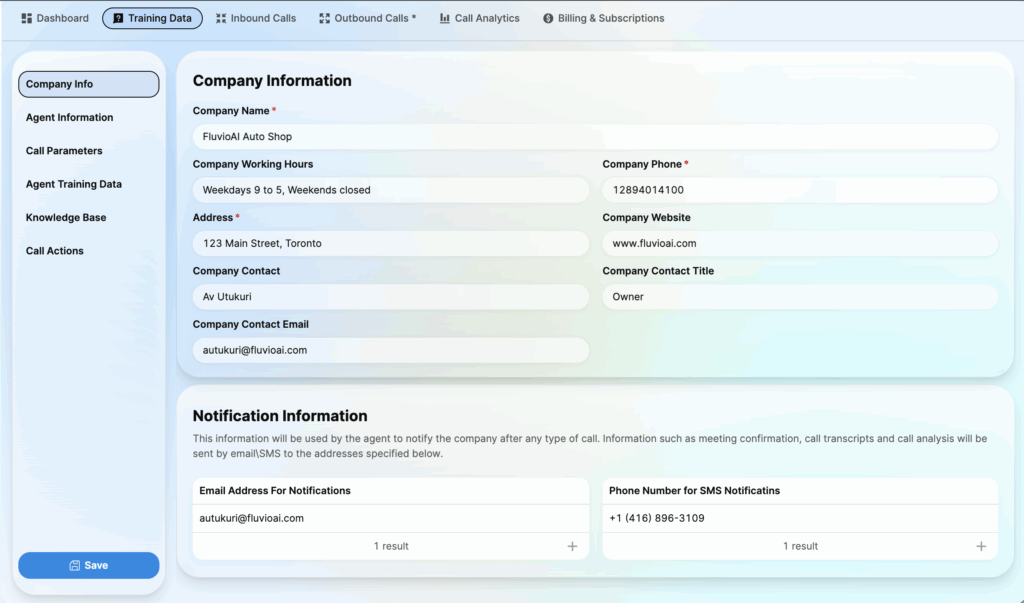
Company Information:
- Company Name: Your brand name (e.g., FluvioAI Auto Shop). The Agent uses this to greet customers.
- Working Hours: Business hours (e.g., “Weekdays 9 to 5, Weekends closed”). The Agent uses this to inform callers of open/close times.
- Address: The physical address of your business.
- Company Phone & Website: Official contact details.
- Contact Person: Name and title of the primary contact (Owner/Manager).
Notification Information:
- Email Address: Enter the email address to receive post-call reports (transcripts, call analysis).
- Phone Number for SMS: Enter a phone number to receive urgent notifications or appointment confirmations via text message.
2. Agent Information
Here, you establish the Persona and identity of your AI Agent.
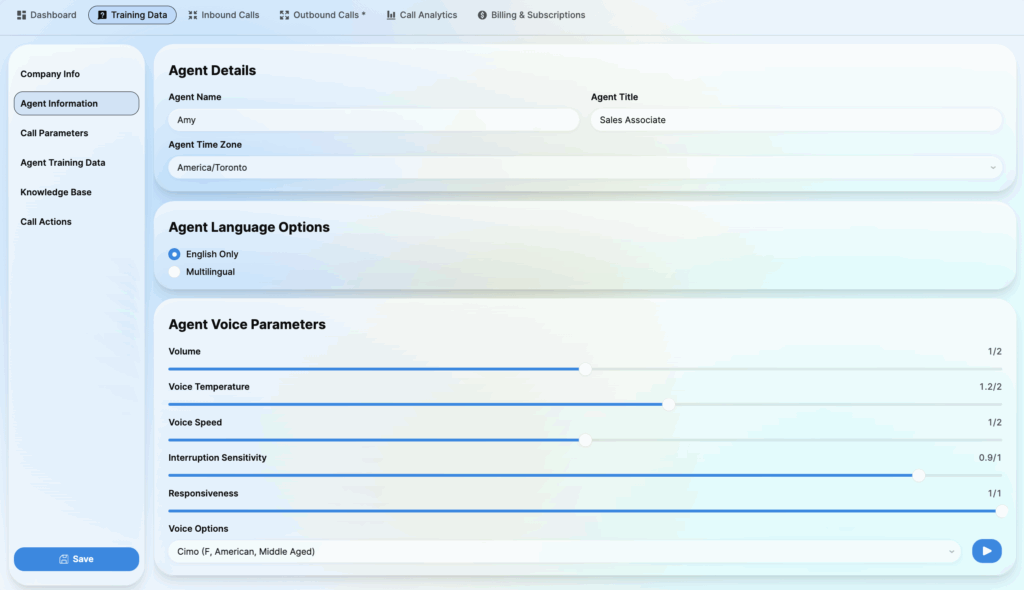
Agent Details:
- Agent Name: The name of your virtual employee (e.g., Amy). The Agent will identify themselves by this name.
- Agent Title: Job title (e.g., Sales Associate, Receptionist).
- Agent Time Zone: Set the local time zone for the agent to handle scheduling accurately.
- Agent Language Options: Select communication language (English Only or Multilingual).
Agent Voice Parameters:
- Volume: Adjusts the loudness of the agent’s voice output.
- Voice Temperature: Emotional variability (Low = Monotone/Robotic; High = Natural/Expressive).
- Voice Speed: The speaking rate of the agent. Interruption Sensitivity: How sensitive the agent is to interruptions (how easily it stops talking when the customer speaks).
- Responsiveness: Controls the latency or how quickly the agent replies after the customer finishes speaking.
- Voice Options: Choose the specific voice profile (Male/Female, accent, age).
3. Call Parameters
Configure technical limits to ensure call performance and efficiency.
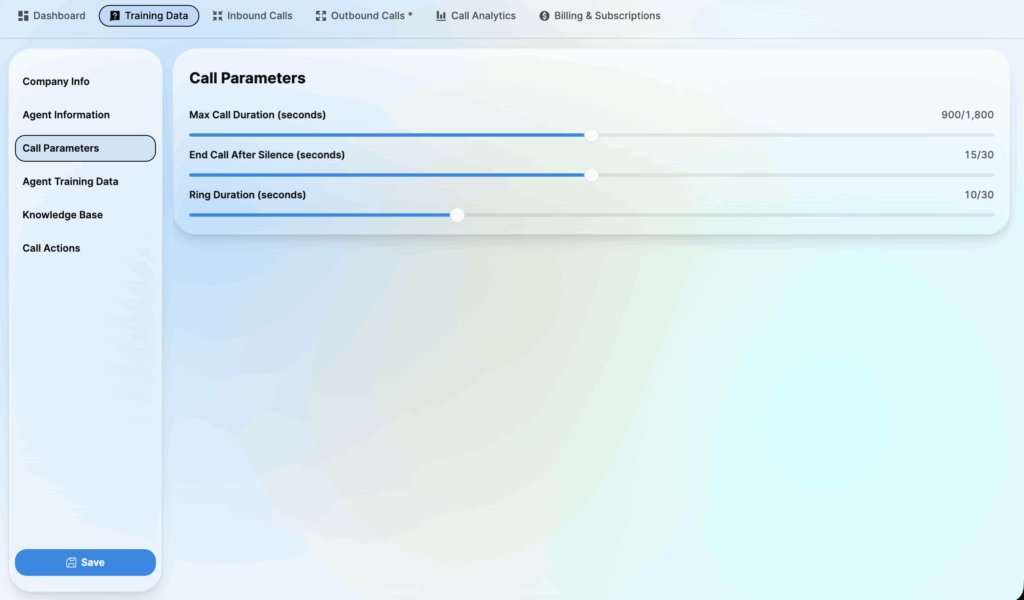
- Max Call Duration: The maximum allowed time for a single call (in seconds). This prevents calls from stalling or running indefinitely. End
- Call After Silence: The duration of silence allowed before the agent automatically disconnects (avoids recording dead air).
- Ring Duration: How long the agent will let the phone ring before disconnecting (for outbound calls). your business.
4. Agent Training Data
This is where you teach the Agent about what you sell, your specific business rules, and the agent’s core behavior.
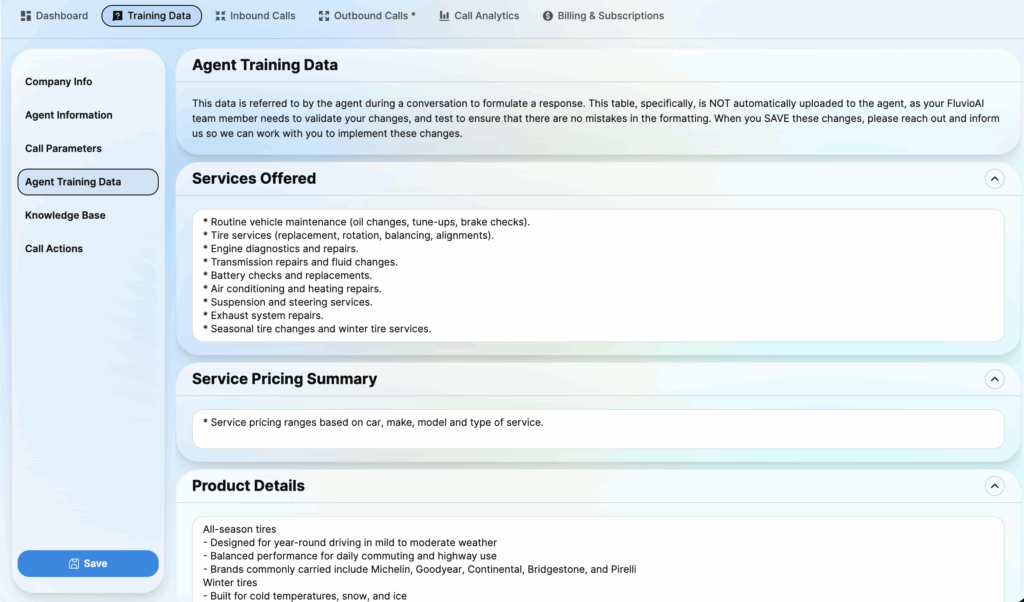
- Services Offered: List specific services (e.g., Oil changes, Brake checks, Engine diagnostics).
- Service Pricing Summary: A summary of pricing structures for services.
- Product Details: Technical details about products (e.g., Tire brands, seasonal specifications).
- Product Pricing Summary: Specific pricing information for physical products.
- Company Specific Rules: Operational “Do’s and Don’ts” (e.g., “Never quote a final price over the phone,” “Always ask for vehicle mileage”).
- Role: The specific job function the agent is performing (e.g., “You are an appointment scheduler”).
- Objective: The primary goal of the interaction (e.g., “Book a consultation,” “Qualify a lead”).
- Personality: The tone and behavioral traits of the agent (e.g., Empathetic, Professional, Energetic).
- Skills: Specific capabilities enabled for this agent instance.
- Main Router: Logic definitions for how the agent routes complex conversation flows or topics.
5. Knowledge Base
This section provides answers to Frequently Asked Questions (FAQ) or scrapes information directly from your website.

FAQ:
- Enter free text training data.
=> Best Practice: Write in a clear Q&A (Question & Answer) format. Treat this like a cheat sheet for a human employee.
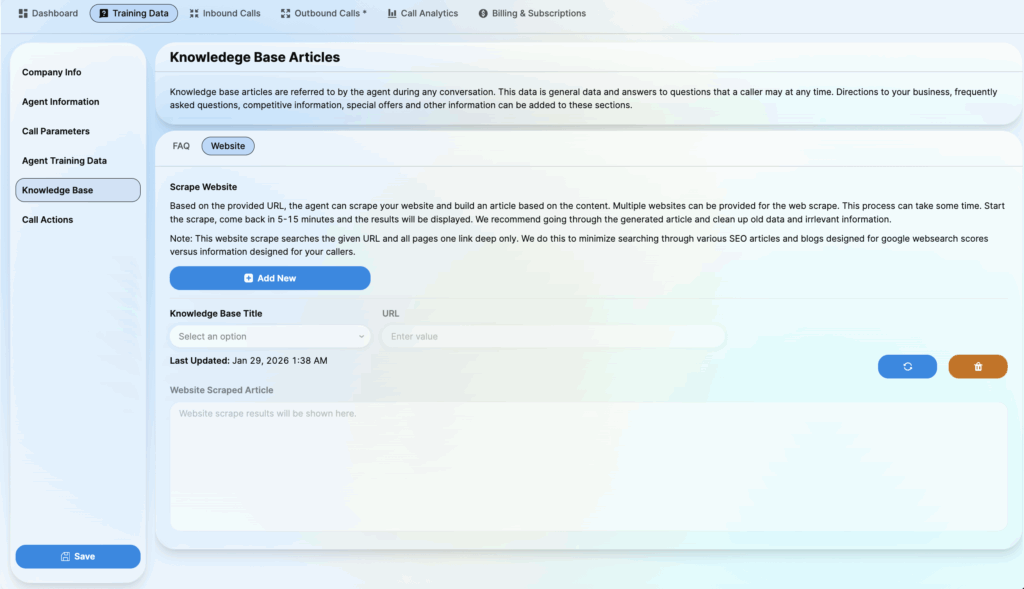
Website:
- Scrape Website: Enter your website URL and click Add New. The system will automatically scan your site content to learn about your business.
- Refresh (Blue Icon): Click this button to re-scan the URL and update the training data if you have made changes to your live website.
- Delete (Orange Icon): Click this button to remove the scraped website data from the agent’s knowledge base.
6. Call Actions
Configure actions the Agent can perform during or after a call.
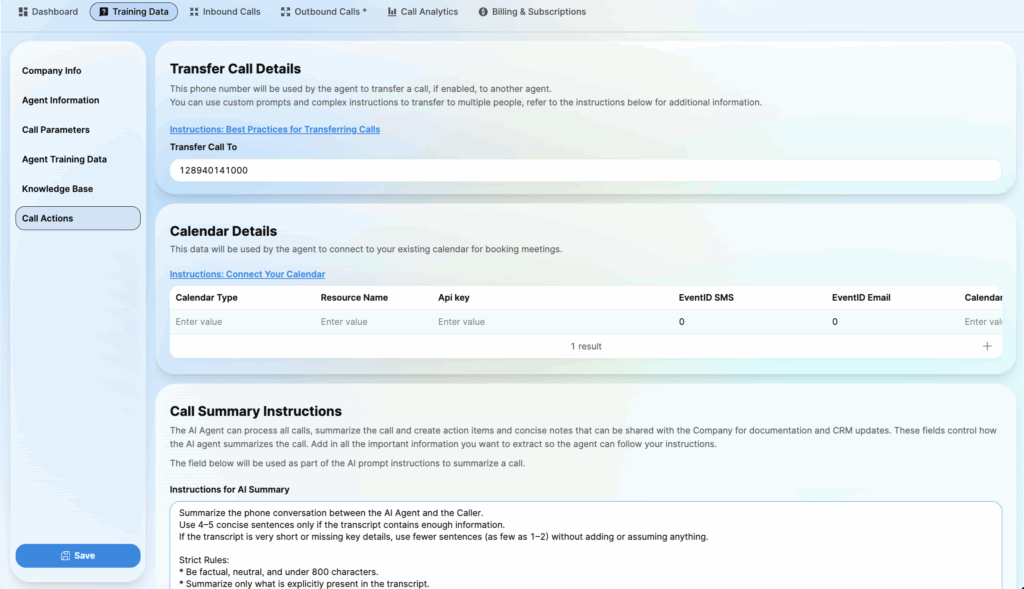
Transfer Call Details:
- Transfer Call To: Enter the phone number of a human staff member. The Agent will transfer calls here for complex issues or if the caller requests a real person.
Calendar Details:
- Calendar Type/Resource Name: Connect your work calendar (Google Calendar/Outlook) to allow the Agent to book meetings directly.
Call Summary Instructions:
- This is the Prompt that instructs the AI on how to summarize the call after it ends.
- Define exactly what needs to be extracted (e.g., Customer Name, Key Issue, Action Items).
- This summary will be sent to your Email or CRM.