


Beyond managing call logs, this section allows you to configure the caller’s initial experience and how your team is alerted about incoming call activity.
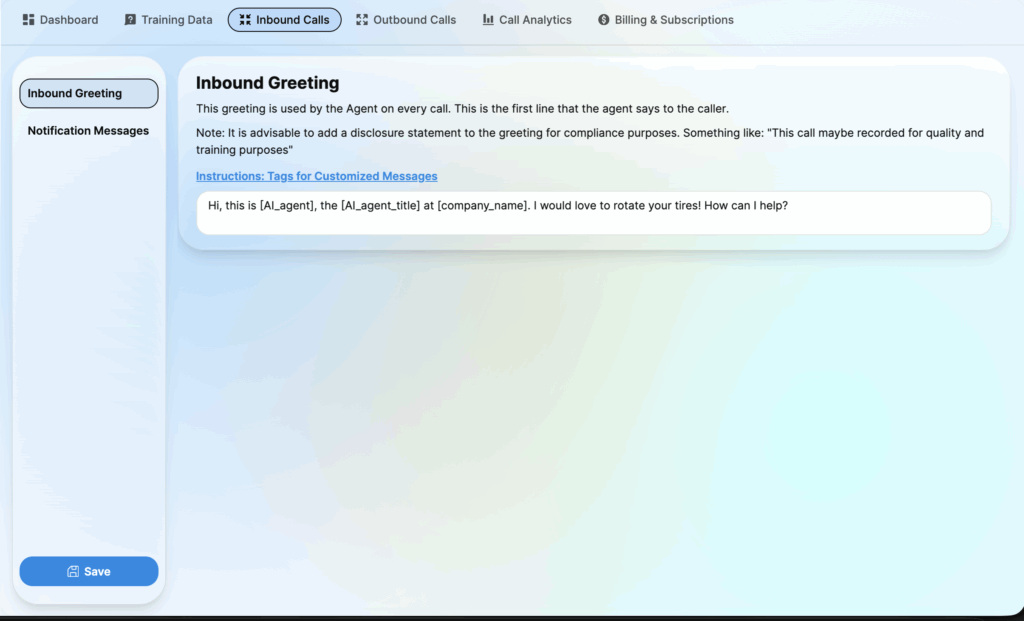
1. Inbound Greeting
Configure the very first audio message the caller hears upon connection.
- Enter the script that the Agent will read aloud immediately when the call connects.
- Note: It is advisable to include a disclosure statement for compliance (e.g., “This call may be recorded…”).
- Tags: You can use dynamic tags like
[AI_agent]or[company_name]to personalize the greeting.
2. Notification Messages
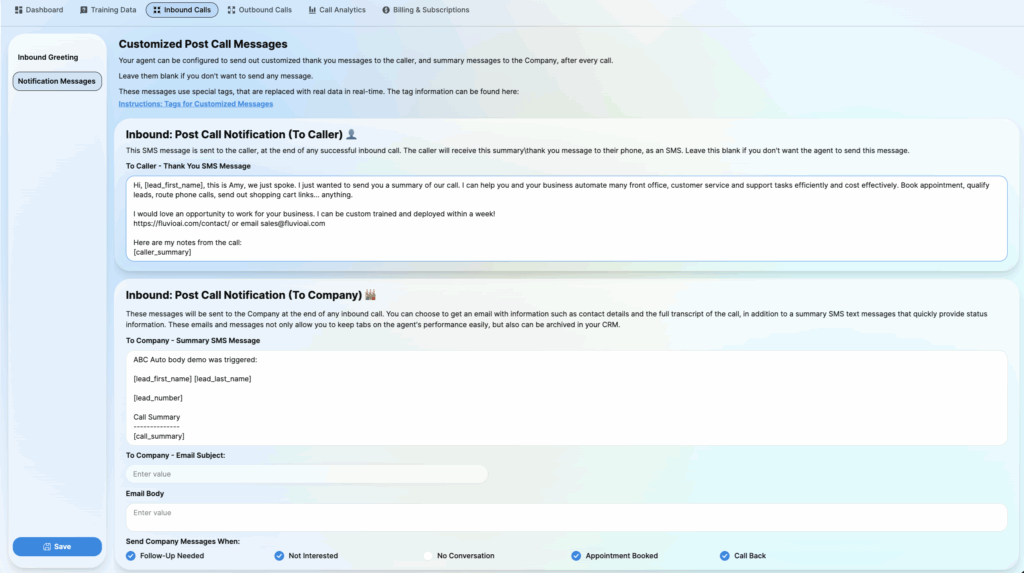
A. Inbound: Post Call Notification (To Caller) 👤
This SMS is sent directly to the customer’s phone after a successful inbound call.
1. To Caller – Thank You SMS Message:
- Draft the text message the caller will receive.
- Use this to send booking links, summaries, or thank-you notes.
- Leave this field blank if you do not want the agent to send an SMS to the caller.
B. Inbound: Post Call Notification (To Company) 🏭
These messages keep your team informed about call outcomes.
1. To Company – Summary SMS Message:
- The content of the text message sent to the business owner/manager.
- Useful for quick status updates (e.g., “Lead [lead_number] just booked an appointment”).
2. To Company – Email Subject: The subject line for the internal notification email.3. Email Body: The main content of the email (can include full transcripts or detailed analysis).
C. Send Company Messages When
Select the specific scenarios that trigger a notification to the company. Uncheck events you don’t need alerts for:
- ☑ Follow-Up Needed
- ☑ Not Interested
- ☑ No Conversation
- ☑ Appointment Booked
- ☑ Call Back