


- Your AI agent can be trained to transfer calls during a conversation with a customer. This capability can be easily extended to complex logic that allows the agent to triage a call and transfer to different numbers or extensions. This article describes the best practices, based on our experiences.
Transfer call logic can be entered in the FluvioAI agent dashboard, under Training Data -> Call Actions -> Transfer Call. Type in the prompt area in plain English to guide the AI agent.
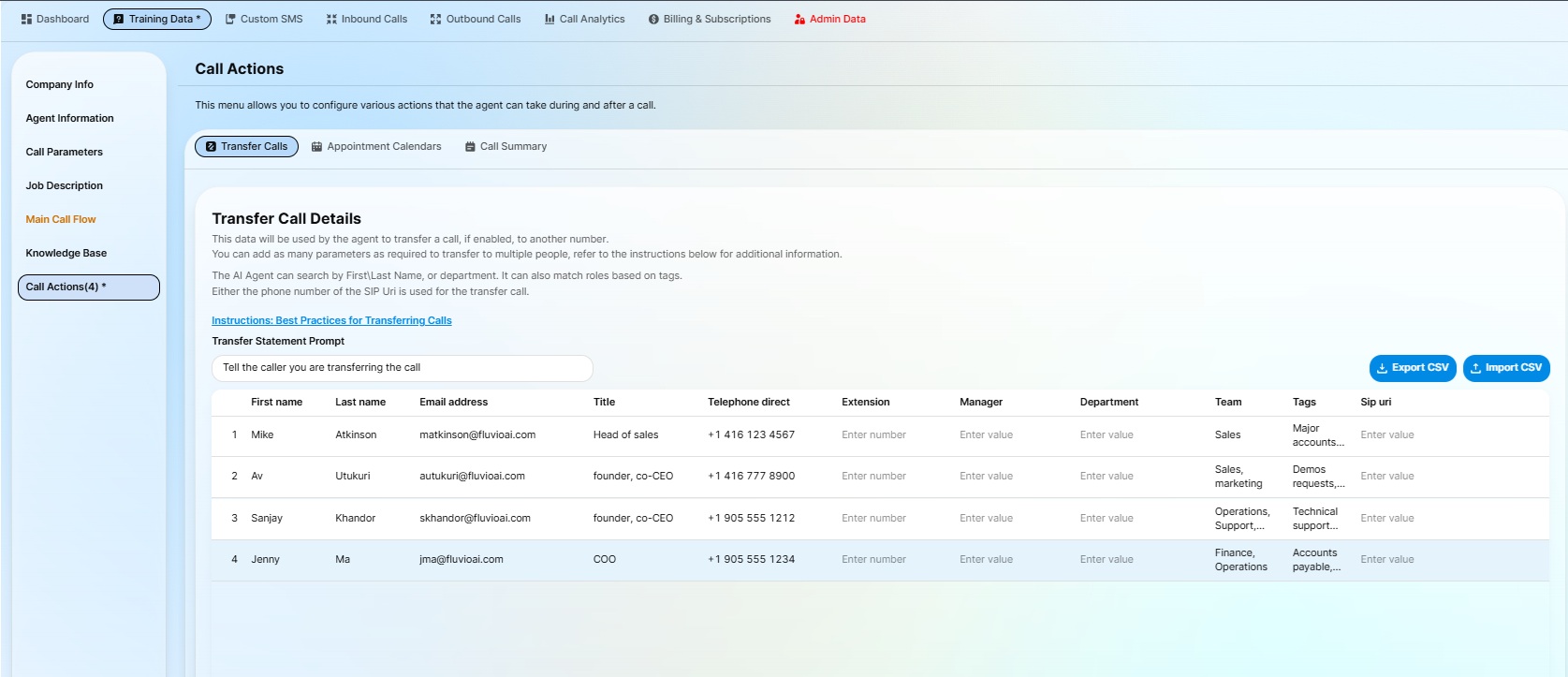
Add a new row for each call transfer rule.
The AI agent uses these rows to determine where a call should be transferred based on the caller’s needs. During the call, the agent can evaluate multiple fields together — including name, department, title, role, keywords, and caller need — to find the best match.
Fill in as much information as possible for each transfer destination. The more context you provide, the better the agent can choose the correct person, department, or extension.
Calls can be transferred to:
- A direct phone number
- A SIP extension
- A physical phone extension
- A standard phone number with an extension
Example: +1-416-555-1234,502
In this example, the call is placed to +1-416-555-1234 and then routed to extension 502.